Building a Tuner: Part 1
For the last few weeks, I have been working on a guitar tuner pet project. While there are many great guitar tuner apps out there, there are just a few open-source guitar tuners, and UI/UX-wise, they are not great. I am not saying that to undermine them; feature-wise, they are cool. However, they don’t feel like finished products. They might be more precise, full of features, free as in freedom, and free as in beer, but when I use them, something feels off compared to a closed-source tuner app, like GuitarTuna. It has something that makes tuning a guitar satisfying. It feels right and superior compared to other tools. It is not more precise or feature-complete. It even asks for a subscription every time you open it, and doesn’t even work without the internet! But its design and UI/UX make it superior compared to all other tuners I have tried.
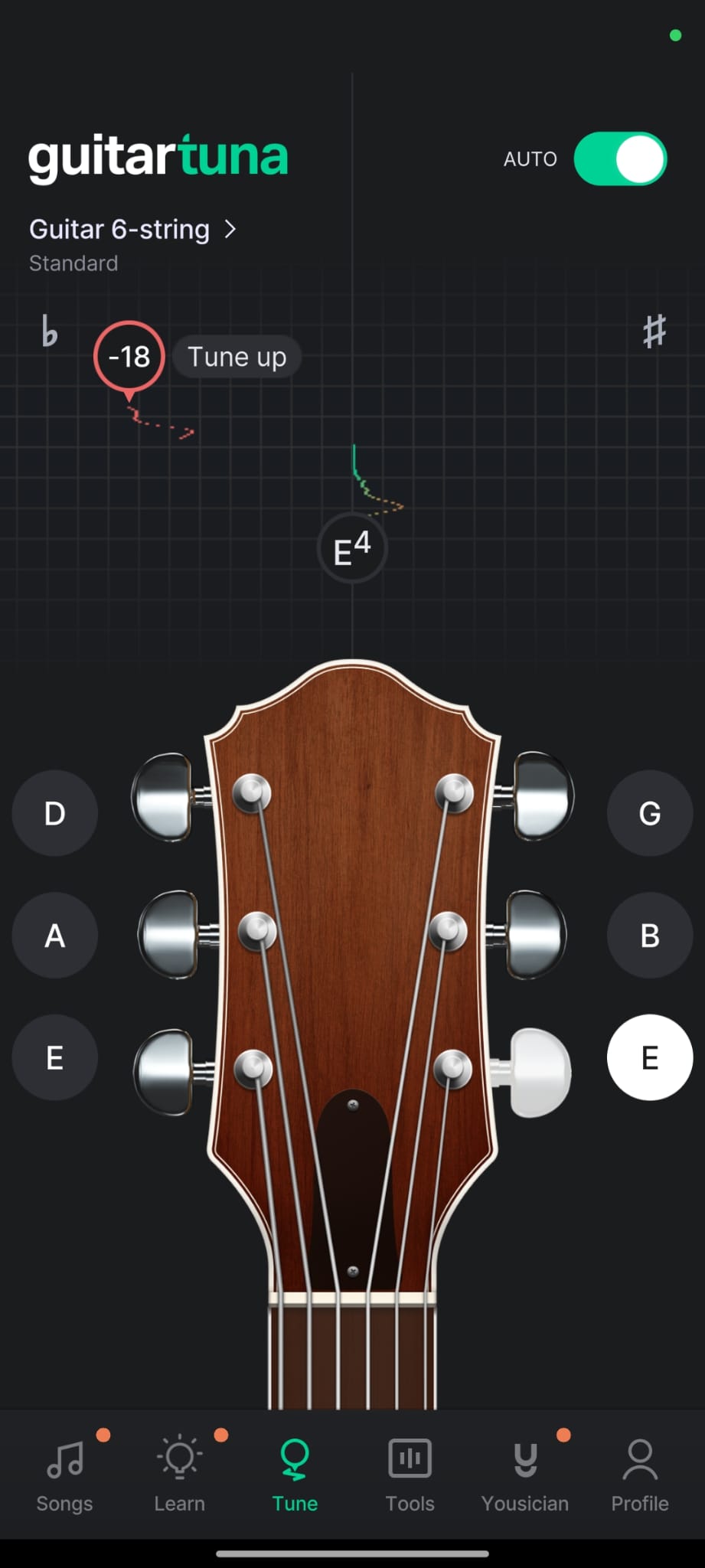
Origin of the Project
So, I wondered, why can’t it be replicated? After all, a tuner is (apart from the pitch detection math) a pretty simple app. You get the detected pitch and update the UI accordingly. Therefore, I decided to start this project as an adventure, as well as a learning path for Android development using Kotlin. I divided the development plan into four steps:
- Initial UI design
- Wiring up the pitch detection
- Polishing
- Tuning the pitch detection for a better experience
Initial UI Design
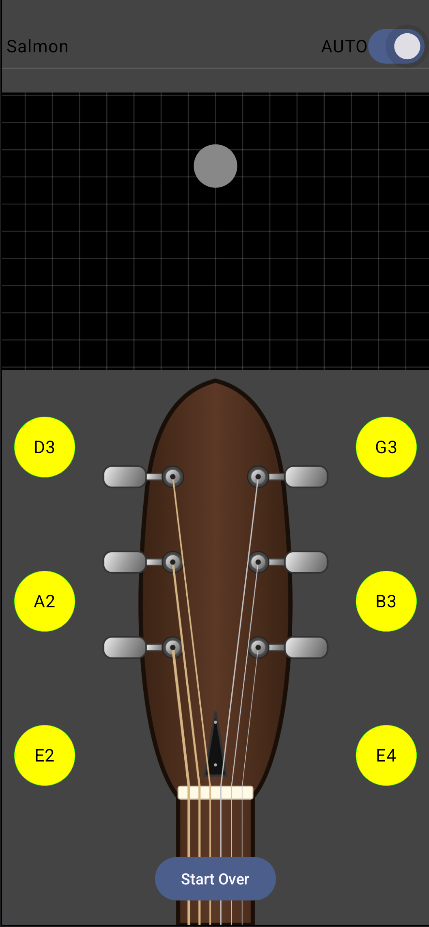
The initial design phase was fun. I learned a lot about Jetpack Compose through this step. It was pretty straightforward, too. The app consisted of three main parts:
- TunerState.kt (Managing the state of the tuner)
- TunerViewModel.kt (The model acting upon the state)
- TunerScreen.kt (The display and components)
Designing the “TuningSlider” (the grid with a circle) took most of my time. It displays the pitch deviation in “cents”, and the pitch deviation between two semitones is always 100 cents. For example, both E to F and F to F# are 100 cents each. That is important; without this method, the tuning experience would be “unequal” on the right and left sides. That is (probably) what GuitarTuna uses as well, except they seem to divide the cents value by 5 and round to the nearest integer.
Wiring Up the Pitch Detection
While I first thought of writing my own pitch detection library, I later decided against it, as that would have increased the project’s complexity drastically. After leaving that for a future project, I started looking for off-the-shelf pitch detection libraries. I chose TarsosDSP, as it seemed the most comprehensive as well as easy to use. But it still took some effort to get it to run. TarsosDSP is written in Java, and the guides about it are either too complex, written in Java, or outdated. After some searching, I found this official guide to run pitch detection in Java. After some fiddling, it was quite easy to port it to Kotlin.
package net.dege.salmon

import be.tarsos.dsp.io.android.AudioDispatcherFactory
import be.tarsos.dsp.pitch.PitchDetectionHandler
import be.tarsos.dsp.pitch.PitchProcessor
import be.tarsos.dsp.pitch.PitchProcessor.PitchEstimationAlgorithm
import kotlin.concurrent.fixedRateTimer
import kotlin.concurrent.thread

class TunerFunctionality {
    private val _sampleRate = TunerConfig.SAMPLE_RATE
    private val _audioBufferSize = TunerConfig.AUDIO_BUFFER_SIZE
    private val _bufferOverlap = TunerConfig.BUFFER_OVERLAP

    fun startTuner(callback: (pitch: Float, probability: Float) -> Unit) {
        val audioDispatcher = AudioDispatcherFactory.fromDefaultMicrophone(
            _sampleRate, _audioBufferSize, _bufferOverlap
        )
        val pdh = PitchDetectionHandler {
                result, _ -> callback(result.pitch, result.probability)
        }
        val audioProcessor = PitchProcessor(
            PitchEstimationAlgorithm.FFT_YIN,
            _sampleRate.toFloat(), _audioBufferSize, pdh
        )

        println("Tuner started!")
        audioDispatcher.addAudioProcessor(audioProcessor)
        thread(name = "tuning-thread") {
            audioDispatcher.run()
        }
    }

    fun startTunerInactivityLimit(callback: () -> Unit) {
        fixedRateTimer(
            name = "inactivity-timer",
            initialDelay = 0.toLong(),
            period = 10
        ) {
            callback()
        }
    }
}
While it may be obvious to some, I had some trouble downloading and installing the correct TarsosDSP library for my project. While the repo suggested installing through Gradle, that didn’t work for Android. What helped was manually installing the latest Android JAR file from their website and importing it.
Polishing and Tuning
That’s where I have stopped for now. While the project was a fun ride, I really got bored of it. After all, this is a hobby project, and there is no need to push for completion. That said, I don’t think much work is left. 90% of the project is complete. However, the remaining 10% is going to be no fun. Up until this point, I haven’t used any LLMs in this project, but I may use some to polish the design. You can do it, too! If you would like to help, just create a PR with your changes. All help is welcome. And if you don’t, I will eventually complete it in the future. You can see the progress here: https://github.com/degD/salmon